

Organisation Security
Configure organization-wide security in Streamkap, including MFA enforcement, session timeouts, password history, and IP or domain access restrictions.
Organisation Security settings can be found in Account preferences under the Workspace section. Click your avatar in the top navigation bar and select Account preferences, then click Security.
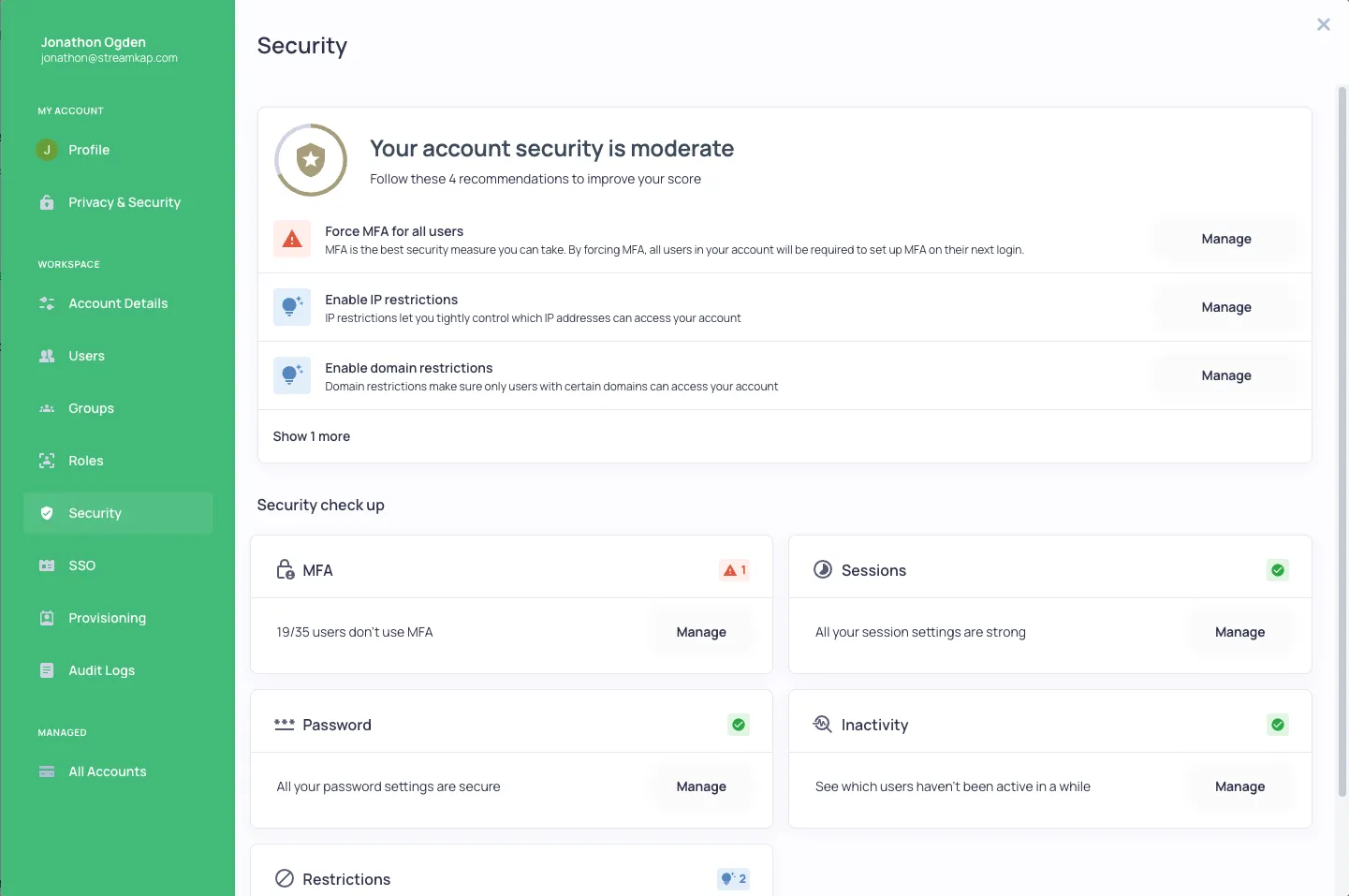
Security Features
The Security dashboard provides:
- Security Score - An overview of your organization’s security posture with recommendations
- MFA Settings - Enable, disable, or force MFA for all users
- User Lockout - Configure lockout parameters after failed login attempts
- Password History - Set password history requirements
- Session Management - Configure idle session timeout and maximum concurrent sessions
- Re-login Period - Set time period to force users to re-authenticate
- IP Restrictions - Limit access to specific IP addresses
- Domain Restrictions - Limit access to specific email domains
Security Check Up
The Security check up section provides quick access to common security configurations:
- MFA - View users without MFA enabled
- Sessions - Manage session settings
- Password - Configure password policies
- Inactivity - Monitor inactive users
- Restrictions - Manage IP and domain restrictions