API Tokens
How to generate and manage Streamkap API tokens from Project Settings, including scoping tokens to roles and copying the one-time secret after creation.
Create an API Token
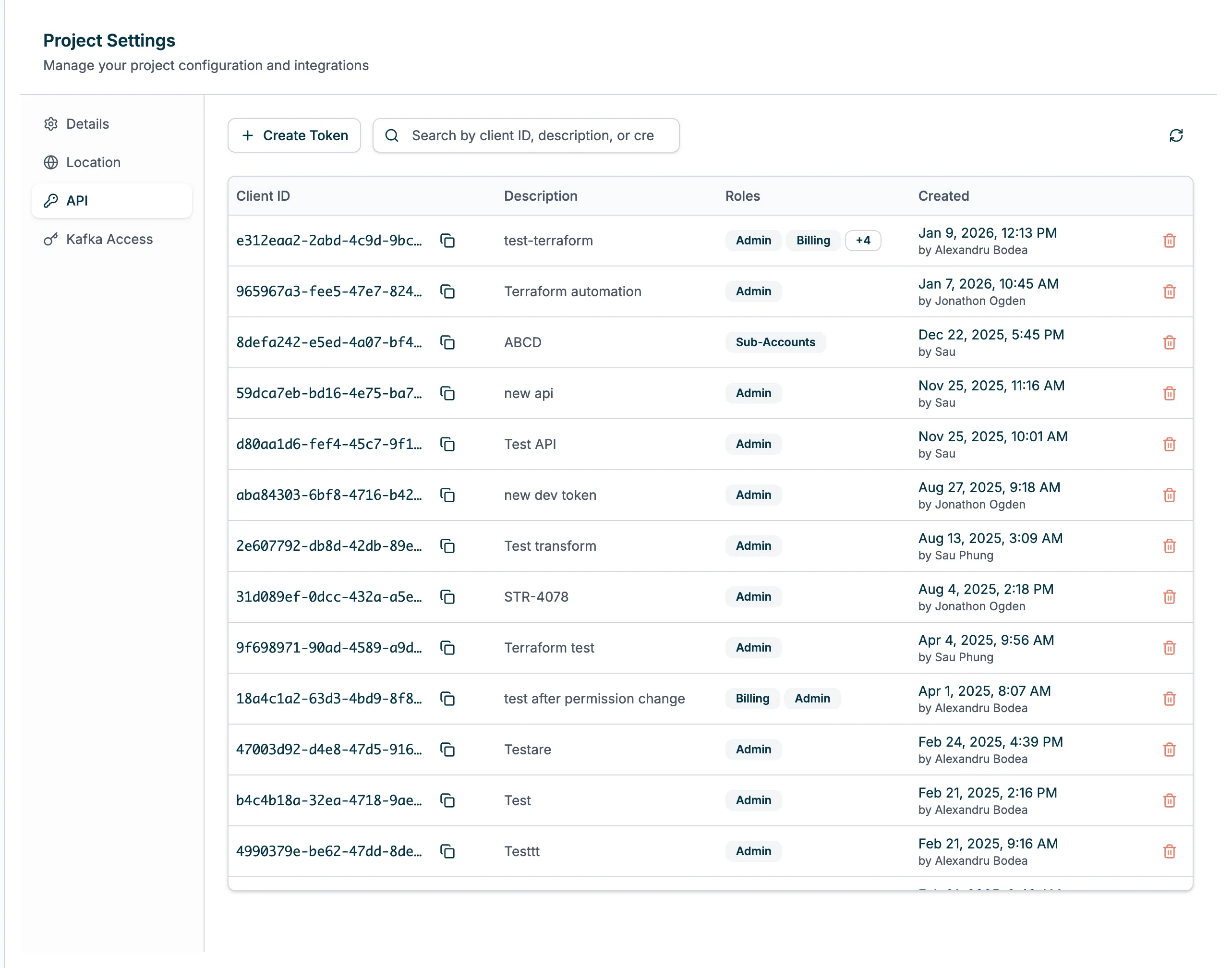
Before you can use the Streamkap REST API, you’ll need to generate an API token. API tokens are scoped to Projects and Roles in the Streamkap platform.
To generate an API token:
-
Navigate to your project and go to Project Settings.
-
Click on the API tab to access API Tokens.
-
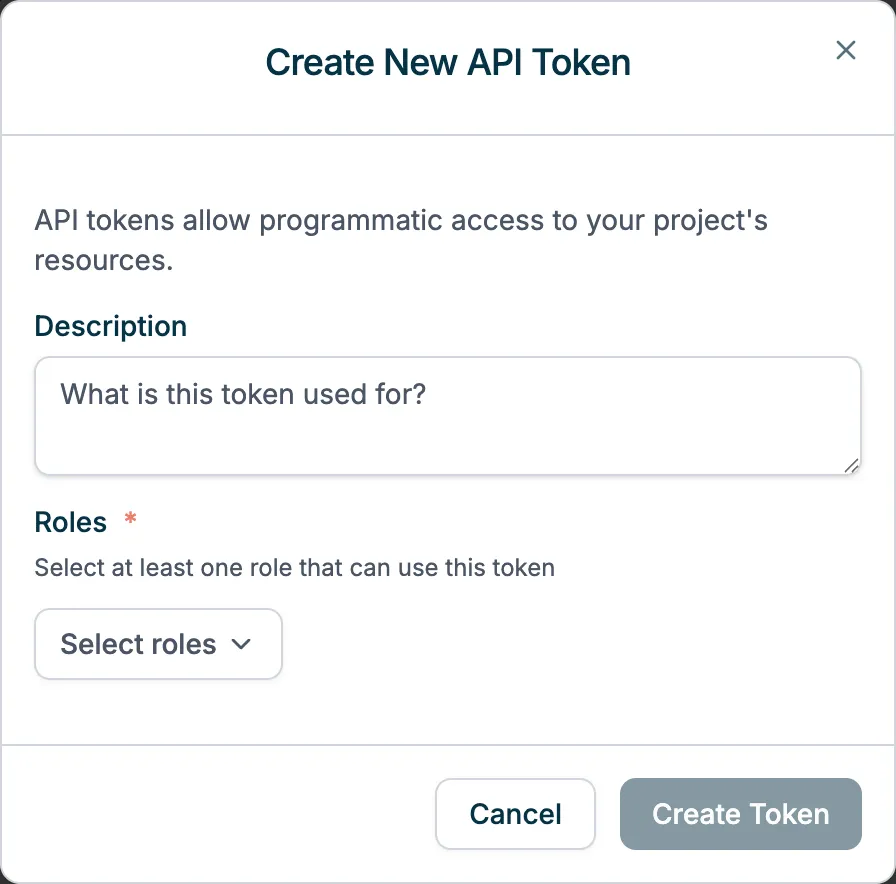
Click Create API Token:
- Enter a description e.g. ‘Read-only API access’
- Choose the role(s) it applies to e.g. Read Only
-
Click Create Token.
Once the API token is created, you will have one chance to copy and save its Token somewhere safe. Once you have done that, click Done.
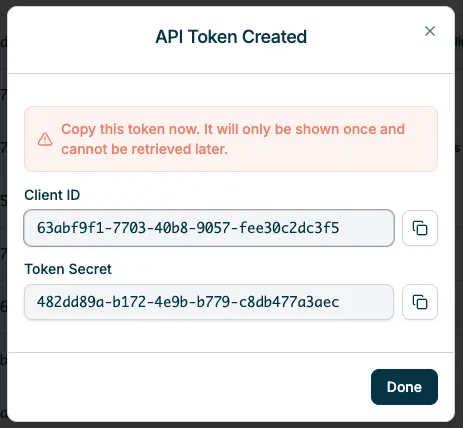
Once you have a Client ID and Token, you can make a call to the Get Access Token REST API endpoint (under the API Reference tab) with those values to get your REST API access and refresh tokens.
Manage API Tokens
To create, view and delete API Tokens:
- Navigate to your project and go to Project Settings.
- Click on the API tab to access API Tokens.