

Sub Accounts
Create isolated Streamkap sub-accounts in a hierarchy, grant users virtual access across them, roll billing up to the parent, and auto-link accounts by domain.
Enable Sub Accounts
At present, sub accounts need to be enabled by contacting support.
Once enabled, you can access in Account preferences under the Managed section by clicking All Accounts.
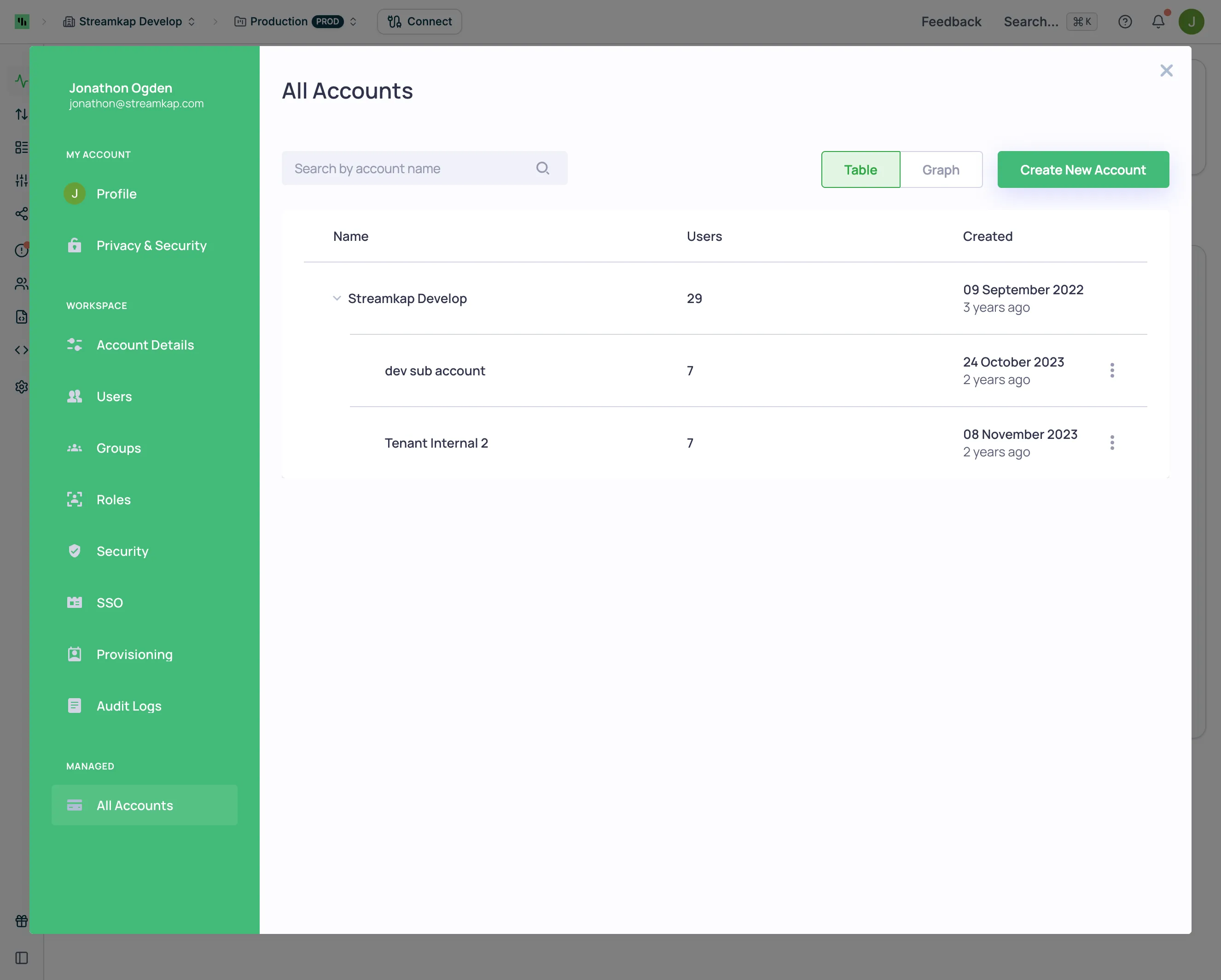
Hierarchy Support
It’s possible to create multiple sub accounts, which are entities in their own rights isolated from each other. It is also possible to create sub accounts of sub accounts so that you can create the hierarchy you require.
You can view your account hierarchy in a graph view:
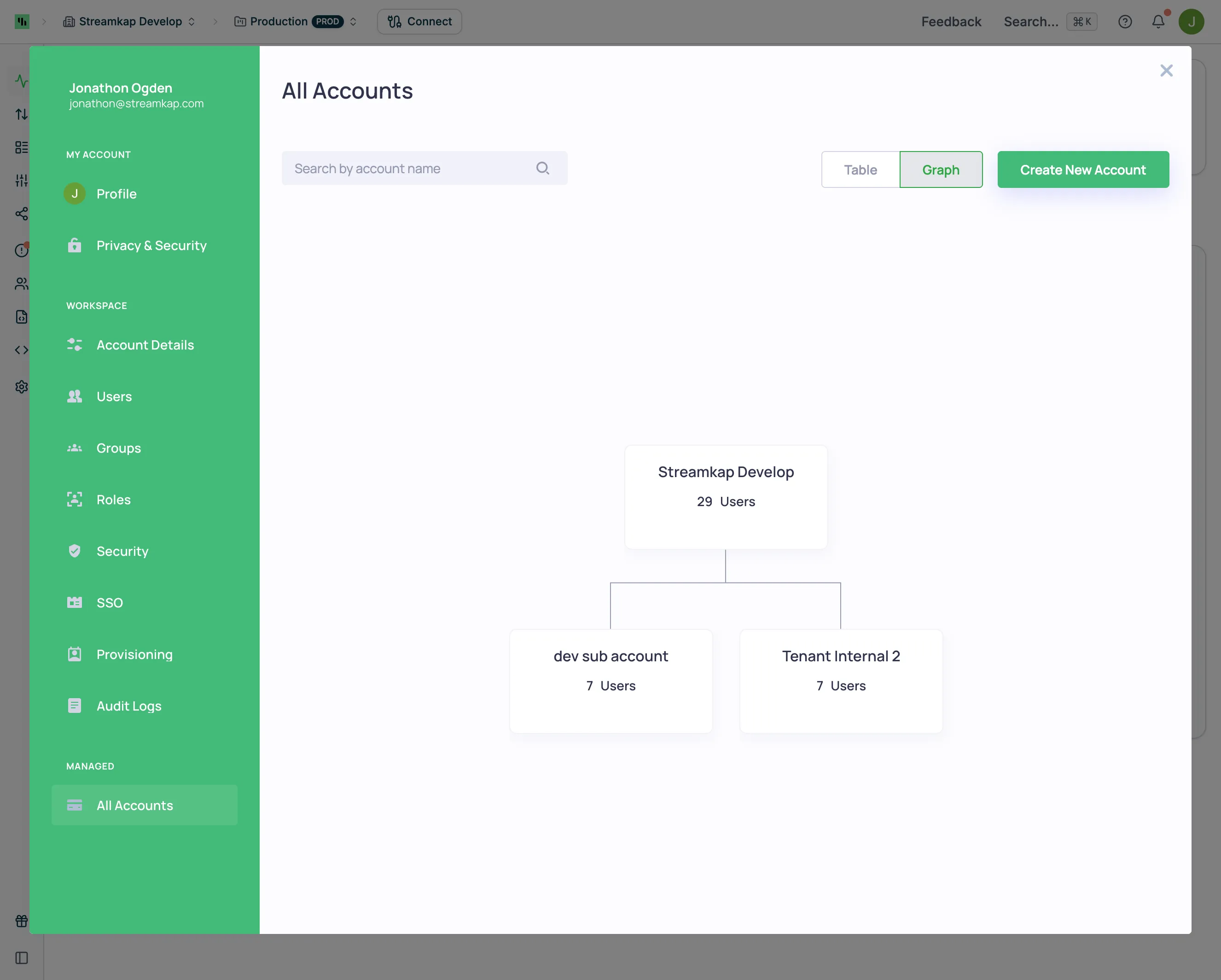
Enable User Virtual Access to Sub Accounts
There are two ways to add users to sub-accounts:
- Specifically add the user to the sub-account
- Allow virtual access to the sub-account - this is needed at least for the creator of the sub-account as otherwise you wouldn’t be able to invite others using option 1
To enable virtual access:
- Click into the parent account while in the All Accounts view
- Enable the Sub-account access toggle for users who need access to sub-accounts
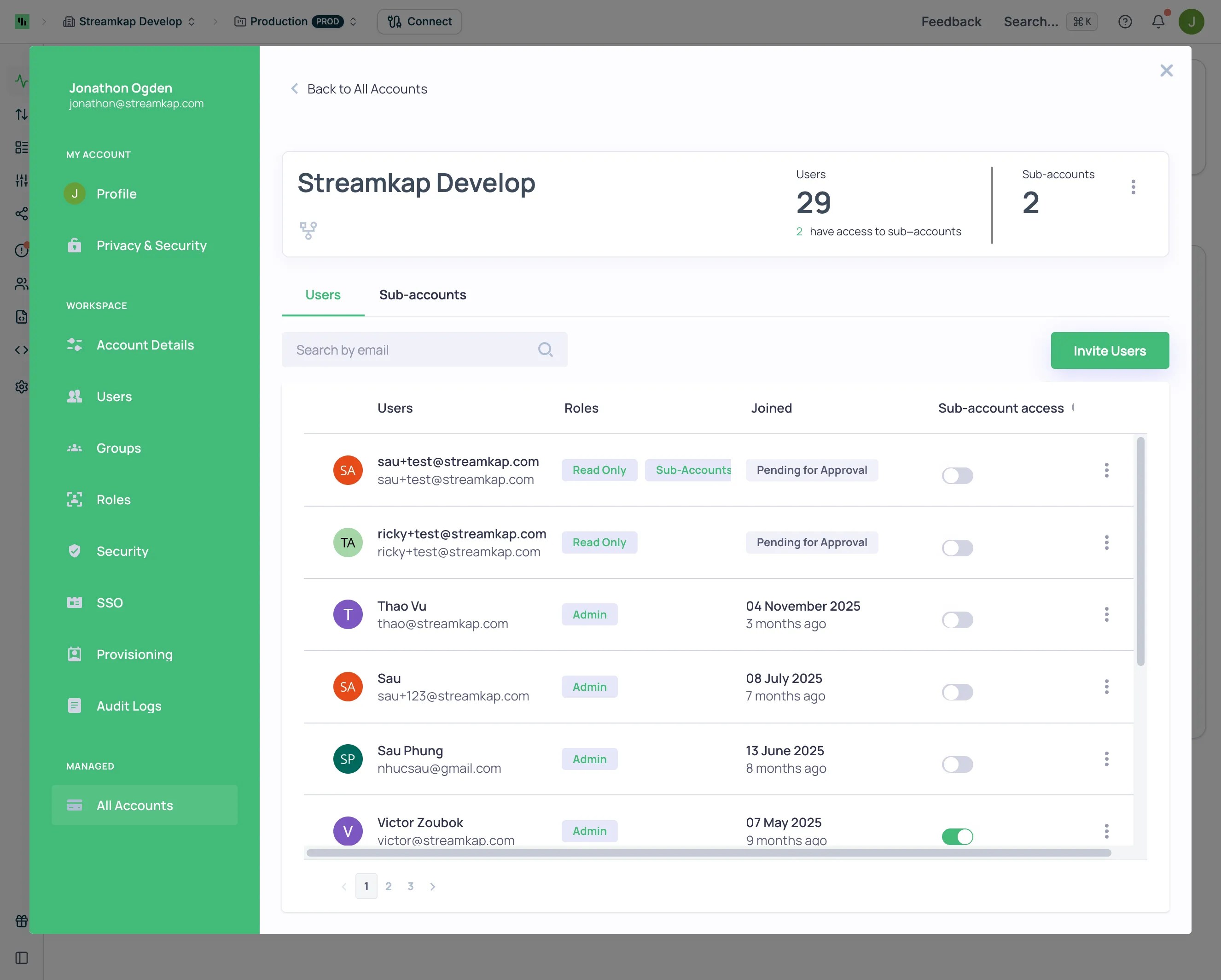
You will now be able to access sub accounts you create virtually, without needing a user in the sub-account to be created.
Billing
Each sub account has the option for its own billing or can be rolled up to the parent account. The parent account subscription in that case can cover all the sub accounts too and receive the volume discounts.
User Access
Access can be granted on a per account basis or to allow the parent accounts sub account access to any level by using Roles, learn more at Team Management
Switching between accounts is possible via the account selector in the app or via Account preferences → Account Details.
SSO with Sub-Accounts
If your organization uses SAML-based SSO and your identity provider requires unique Entity IDs per enterprise application, you may need unique SAML Identifiers assigned to each sub-account. This is typically needed when your IdP (e.g., Microsoft Entra) rejects duplicate identifiers across multiple SSO configurations. Contact Streamkap support to request this. See SSO with Sub-Accounts for details.
Auto linking accounts based upon domain name
Once sub accounts are enabled on your account, it’s possible to also auto link accounts based upon the domain name.