

Audit Logs (App)
View and search Streamkap organization audit logs, tracking user actions, timestamps, and severity levels for security compliance and troubleshooting.
Audit Logs can be found in Account preferences under the Workspace section. Click your avatar in the top navigation bar and select Account preferences, then click Audit Logs.
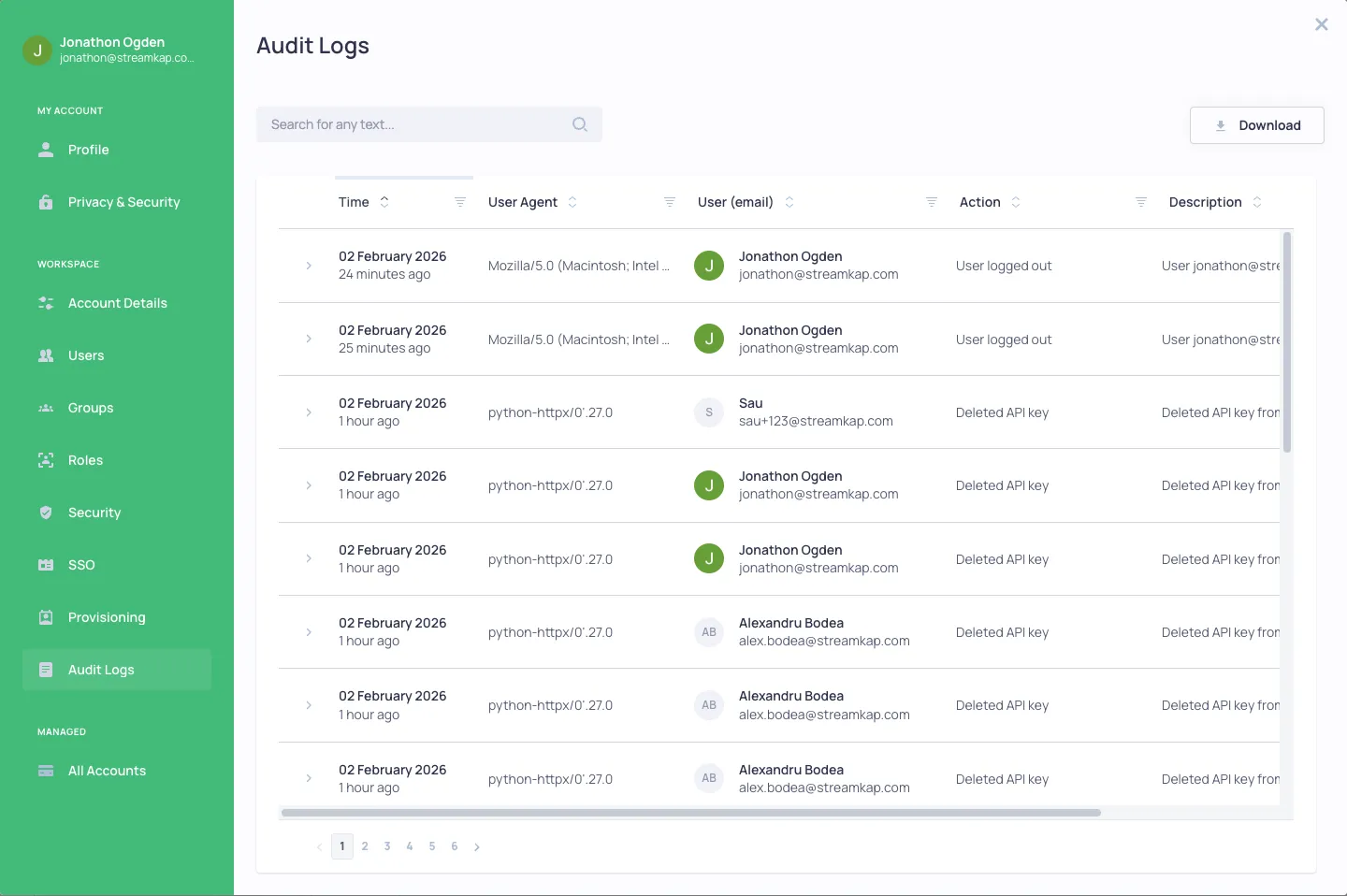
Overview
Streamkap maintains a complete audit trail of all activity within your organization, providing visibility for security compliance and troubleshooting.
Audit Log Details
Each log entry includes:
- Time - When the action occurred
- User Agent - The browser or application used
- User (email) - Who performed the action
- Action - What was done (e.g., User logged in, Created API key, Updated profile)
- Description - Additional context about the action
- Severity - The importance level (Info, Warning, Error)
Features
- Search - Search for any text across all log entries
- Filter - Filter by time, user agent, email, action, description, or severity
- Sort - Sort columns by clicking the column headers
- Download - Export audit logs for external analysis or compliance reporting
- Expand - Click on any row to see additional details