> ## Documentation Index
> Fetch the complete documentation index at: https://docs.streamkap.com/llms.txt
> Use this file to discover all available pages before exploring further.
# Regex Support for >100k Tables
> Use regex patterns in Source schema configuration to merge related tables into logical topics for multi-tenant, sharded, or cell-based architectures.
There are various use cases where a group of related tables must be considered one logical table when streamed to one or more destinations:
* **Multi-tenancy** implemented with "DB per tenant" or "Schema per tenant"
* **Application-level sharding**
* **Cell-based architecture**
In such cases, use the **Regex support** in the Schema configuration for a Source connector. All tables matching one regex in the schema will be considered one logical topic and streamed to one logical destination table.
## Schema Configuration
Regex can be applied at the **schema or database level**, at the **table level**, or **both**.
In the Source connector's **Schema** tab, add a schema using a regex pattern (e.g. `shard[0-9]*`). All matching schemas will be merged, and the tables within them will be treated as a single logical set.
![Schema tab showing a regex pattern shard[0-9]* matching 3 tables: Orders, Customers, Products1](https://mintcdn.com/streamkap/_O750WI-8g4bL1nm/images/docs/regex-schema-config.png?fit=max&auto=format&n=_O750WI-8g4bL1nm&q=85&s=d12fe508f971a5345a2817d89f65ac06) ## Advanced Settings
To enable regex support, go to the Source connector's **Settings** tab and scroll to the **Advanced** section:
1. Toggle **Enable regex support** on
2. Configure the **Replacement string** for matching regex snippets
3. Set the **Regex support key field template** — an extra key field is needed to ensure unique records across merged sources (e.g. `{{database}}.{{table}}`)
4. Set the **metadata field name** to store source information and ensure uniqueness (e.g. `_streamkap_source_metadata`)
## Advanced Settings
To enable regex support, go to the Source connector's **Settings** tab and scroll to the **Advanced** section:
1. Toggle **Enable regex support** on
2. Configure the **Replacement string** for matching regex snippets
3. Set the **Regex support key field template** — an extra key field is needed to ensure unique records across merged sources (e.g. `{{database}}.{{table}}`)
4. Set the **metadata field name** to store source information and ensure uniqueness (e.g. `_streamkap_source_metadata`)
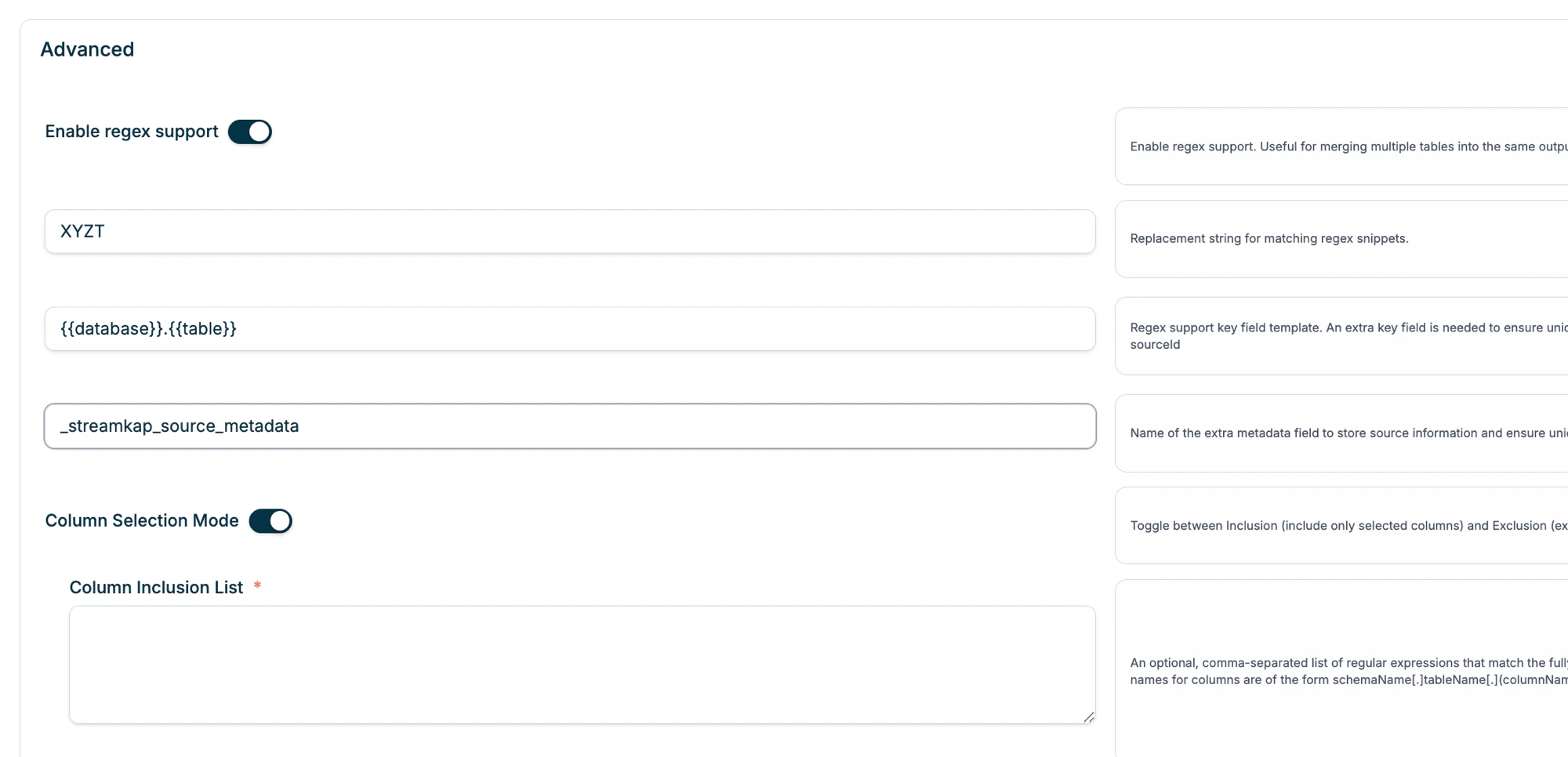 Column Selection Mode can also be used with regex support to include or exclude specific columns using regex patterns matching the fully qualified column name format: `schemaName.tableName.columnName`.