> ## Documentation Index
> Fetch the complete documentation index at: https://docs.streamkap.com/llms.txt
> Use this file to discover all available pages before exploring further.
# Organisation Security
> Configure organization-wide security policies and settings
Organisation Security settings can be found in **Account preferences** under the **Workspace** section. Click your avatar in the top navigation bar and select **Account preferences**, then click **Security**.
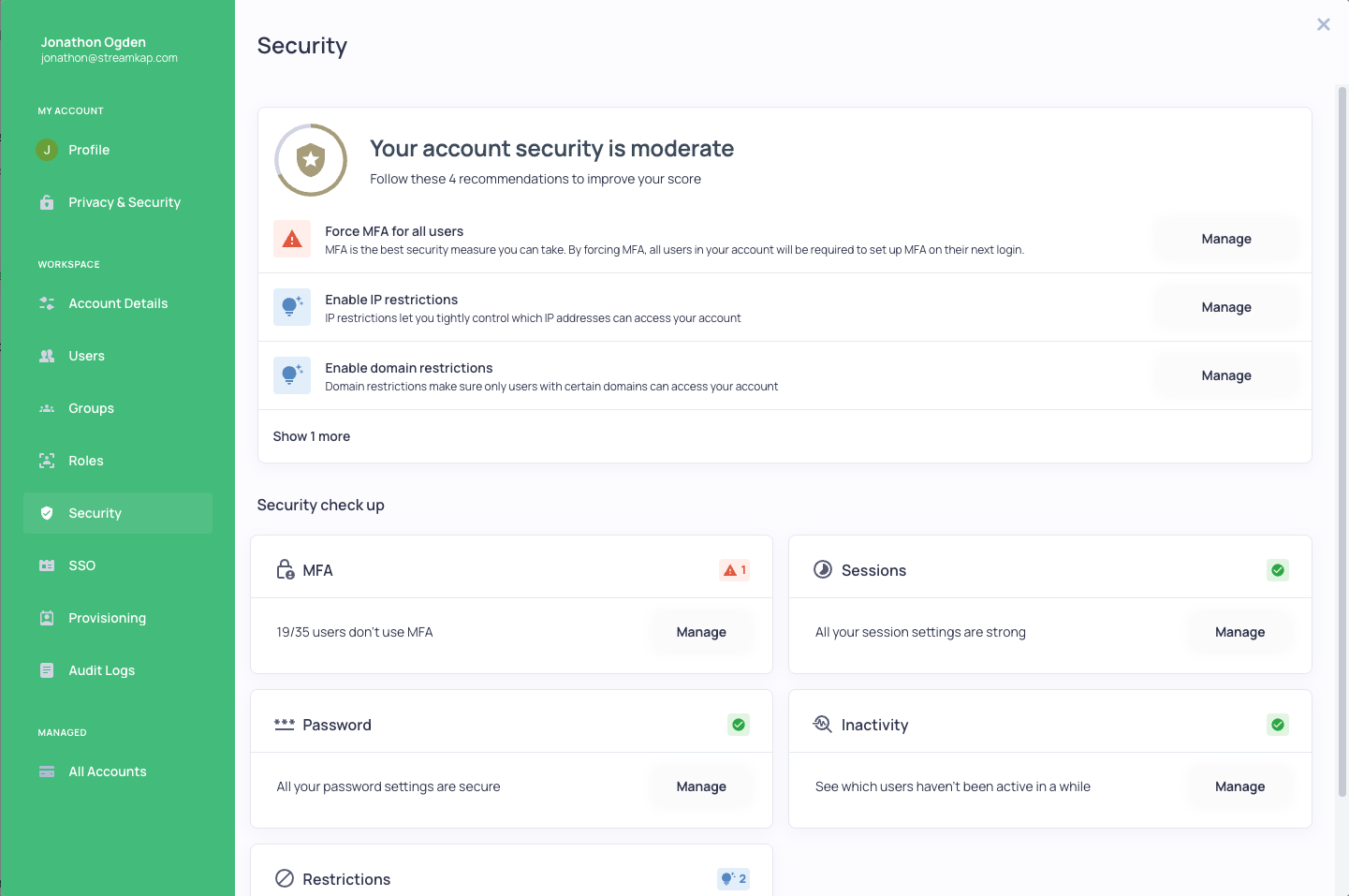 ## Security Features
The Security dashboard provides:
* **Security Score** - An overview of your organization's security posture with recommendations
* **MFA Settings** - Enable, disable, or force MFA for all users
* **User Lockout** - Configure lockout parameters after failed login attempts
* **Password History** - Set password history requirements
* **Session Management** - Configure idle session timeout and maximum concurrent sessions
* **Re-login Period** - Set time period to force users to re-authenticate
* **IP Restrictions** - Limit access to specific IP addresses
* **Domain Restrictions** - Limit access to specific email domains
## Security Check Up
The Security check up section provides quick access to common security configurations:
* **MFA** - View users without MFA enabled
* **Sessions** - Manage session settings
* **Password** - Configure password policies
* **Inactivity** - Monitor inactive users
* **Restrictions** - Manage IP and domain restrictions
## Security Features
The Security dashboard provides:
* **Security Score** - An overview of your organization's security posture with recommendations
* **MFA Settings** - Enable, disable, or force MFA for all users
* **User Lockout** - Configure lockout parameters after failed login attempts
* **Password History** - Set password history requirements
* **Session Management** - Configure idle session timeout and maximum concurrent sessions
* **Re-login Period** - Set time period to force users to re-authenticate
* **IP Restrictions** - Limit access to specific IP addresses
* **Domain Restrictions** - Limit access to specific email domains
## Security Check Up
The Security check up section provides quick access to common security configurations:
* **MFA** - View users without MFA enabled
* **Sessions** - Manage session settings
* **Password** - Configure password policies
* **Inactivity** - Monitor inactive users
* **Restrictions** - Manage IP and domain restrictions