> ## Documentation Index
> Fetch the complete documentation index at: https://docs.streamkap.com/llms.txt
> Use this file to discover all available pages before exploring further.
# API Tokens
> How to generate and manage your Streamkap API tokens
## Create an API Token
Before you can use the Streamkap REST API, you'll need to generate an API token. API tokens are scoped to **Projects** and **Roles** in the Streamkap platform.
To generate an API token:
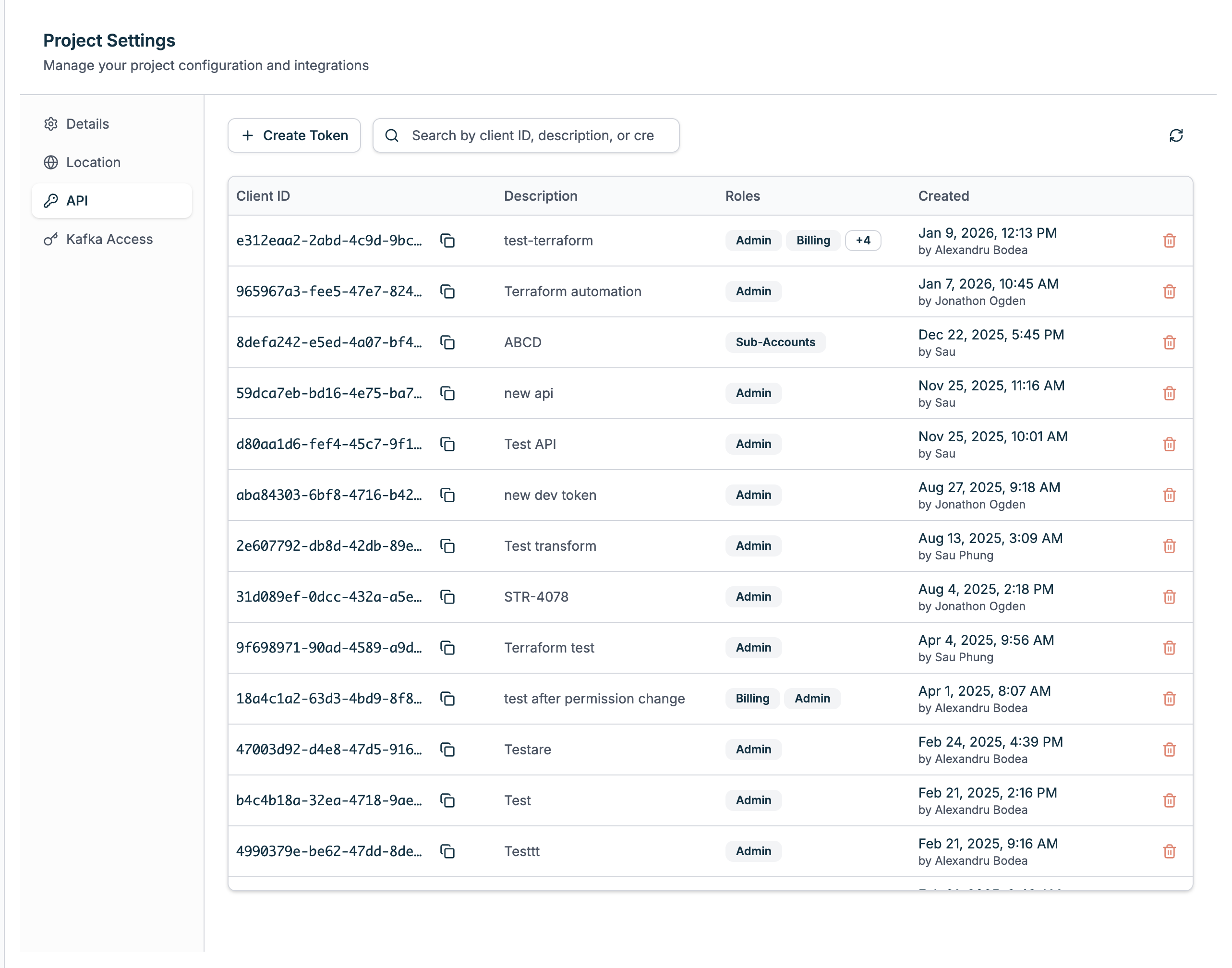
* Navigate to your project and go to **Project Settings**.
* Click on the **API** tab to access API Tokens.
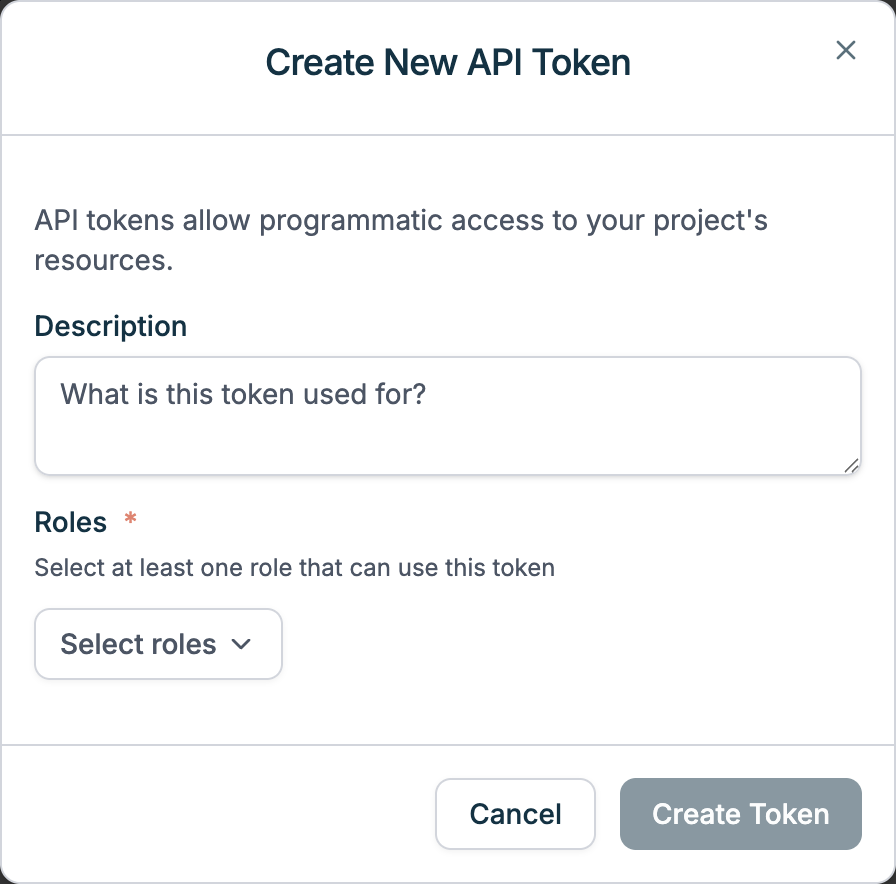
* Click **Create API Token**:
* Enter a description e.g. 'Read-only API access'
* Choose the role(s) it applies to e.g. Read Only
* Click **Create Token**.
 Once the API token is created, you will have one chance to copy and save its Token somewhere safe. Once you have done that, click **Done**.
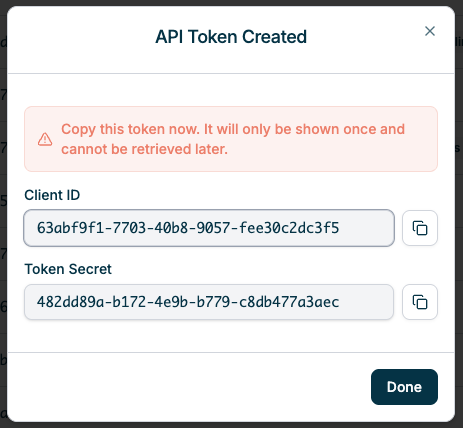 Once you have a **Client ID** and **Token**, you can make a call to the **Get Access Token** REST API endpoint (under the **API Reference** tab) with those values to get your REST API access and refresh tokens.
## Manage API Tokens
Tokens can't be moved between Projects or have the Roles scope changed after they're created.
To create, view and delete API Tokens:
* Navigate to your project and go to **Project Settings**.
* Click on the **API** tab to access API Tokens.
The Token (or 'secret') is only shown **once**. If you have lost or forgotten an existing Tokens' secret, you will need to delete it and create another.
Once you have a **Client ID** and **Token**, you can make a call to the **Get Access Token** REST API endpoint (under the **API Reference** tab) with those values to get your REST API access and refresh tokens.
## Manage API Tokens
Tokens can't be moved between Projects or have the Roles scope changed after they're created.
To create, view and delete API Tokens:
* Navigate to your project and go to **Project Settings**.
* Click on the **API** tab to access API Tokens.
The Token (or 'secret') is only shown **once**. If you have lost or forgotten an existing Tokens' secret, you will need to delete it and create another.